The Best Free Tools for SEO
Before you consider investing in some of the brilliant paid-for tools to help you with your search engine optimisation strategy, you should make sure you’re well acquainted with the following five essential free tools for SEO.
Google Analytics
The first, and maybe the best known, free SEO tool we recommend is Google Analytics. As part of the Google suite, Google Analytics is the free web analytics service that lets you track a wide range of key metrics like users, sessions, pages per session, average time on page and bounce rate as well as providing insights into traffic channels, site speed and user behaviour.
- Why it’s good:
Google Analytics lets you measure many useful metrics for SEO purposes. This includes things like user journeys e.g. where a user lands on your site, where they navigate to and where they exit. You can also measure mobile performance, which is very relevant with Google’s mobile first indexing policy. As well as being able to set up custom dashboards and reports, Google Analytics also nicely integrates with other tools and platforms including Google Ads, Google Search Console and Google Data Studio, allowing an easy flow of data between tools.
- Limitations:
Although set up is straightforward, you must ensure that you do set up tracking correctly in order to reap the benefits of the tool. The biggest risk to Google Analytics is a faulty set up which can lead to bugs and discrepancies in data. Google provides free training courses on the tool itself, and many agencies can offer support and consultancy if you’re stuck.
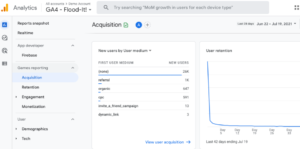
Google Analytics is one of the best free SEO tools https://analytics.google.com/analytics/web/
Google Search Console
For getting real insights into how users are interacting with your content in the search results, there is no better tool than Google Search Console, which pulls its data directly from Google. The free tracking tool allows you to see your site’s organic performance, as well as some key technical aspects.
- Why it’s good:
Google Search Console, once linked with your chosen domains, allows you to track clicks, impressions, average CTR and average ranking position. This is especially useful for measuring your site’s performance over time. Among the other great features in GSC is the Indexing report, which allows you to check for any indexing issues and errors, and the Experience report, which measures Core Web Vitals and other key page experience factors.
- Limitations:
GSC is one of the most powerful and reliable tools for measuring organic performance. However when it comes to manipulating the data, there is a bit of manual work involved. The tools lets you see the top performing pages on your site, and also the top queries bringing traffic to your site, but you can’t see the top queries for a specific page without filtering or extracting the data. So although the tool is great, a bit of excel magic may be required for deeper analysis.
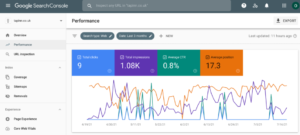
Google Search Console https://search.google.com/search-console/about
Answer the Public
Answer the Public aggregates content from blogs, forums and social media platforms and suggests questions based around your target keyword or topic. It’s a great way to increase your range of topics for blogs, articles or keywords lists.
- Why it’s good:
If you’re looking for long tail keywords or questions to fill a FAQ page, Answer the Public provides a large pool of ideas. You can also see the results in nice visuals or in a work sheet format. A great feature of this tool is the ‘vs/versus’ option where you can see what people compare when researching a topic: this can be valuable for discovering which competitors your target audience are comparing your brand to.
- Limitations:
Although Answer The Public provides a large list of keyword ideas, unlike Google’s Keyword Planner tool, there is little data in terms of search volume and difficulty score. Also the free version only allows a limited number of searches a day, so if you don’t want to pay, be frugal with your searches.
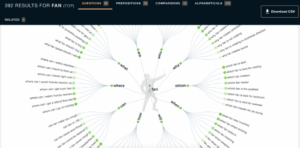
Answer the Public is a search listening tool: https://answerthepublic.com
Screaming Frog
Screaming Frog is the best free tool for discovering technical problems on your site. Mimicking a Google crawler, Screaming Frog crawls your site and extracts a vast amount of information for you to use in an audit, or in monthly reporting.
- Why it’s good:
Screaming Frog exports a lot of valuable information: you can audit meta content length, headers, indexability, robot.txt, http status, canonicals, hreflang and much more. You can also easily export all your data into csv. or excel. formats to comb through in more detail.
- Limitations:
The free version is limited to 500 pages, so if you have a bigger site or multiple domains, you may need to invest in the paid version of the tool to do a full crawl. The tool also currently only runs on desktop, so as it stands, there is no integrated cloud version.. although this is something that has been highly requested, so it may only be a matter of time.
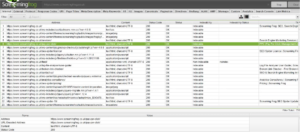
Screaming Frog is a great tool for technical SEO: https://www.screamingfrog.co.uk
Mozbar
If you like a Chrome plug-in, you’ll love the Moz SEO toolbar. This handy tool lets you check the on page elements of your site so you can check at a glance if all is well.
- Why it’s good:
Because it’s available as a Chrome or Firefox extension, this on page auditing tool is very handy and user-friendly. The tool will automatically read your URL, meta title, description, keywords and H1, as well as their length, so you can check that you’re within the recommended character limits at a glance. You can also check the HTTP status of a page without having to fire up a crawling tool or look into the code.
- Limitations:
Although the tool is right 99% of the time, every now and then on some sites it can have trouble pulling the correct data. But if ever you’re in doubt, you can always hit ‘Ctrl+U’ to inspect a page’s source code and double check the SEO ‘title’ and ‘description’ there.
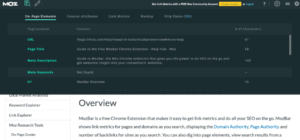
The Free Moz toolbar: seo-toolbar
Bonus tool: People Also Ask in Google
While not necessarily a tool per say, the ‘People Also Ask’ section on Google is a brilliant way to find related searches and long tail keywords to integrate into your keyword planning. To find this tool, simply type something into Google, and scroll down until you find the ‘People Also Ask’ box, and use this as inspiration for related queries to your core topic.
- Why it’s good:
The content in People Also Ask is generated by Google, and is based on similar searches and what the search engine considers to be relevant content. Therefore it’s a very easy way to see how Google is linking topics and questions.
- Limitations:
There is no data or numbers supplied by this tool – simply related questions and other links providing answers. So it should be used as inspiration, rather than fact. As is always the case, the best SEO comes from experimentation.

People Also Ask section on Google
So there you have our top five best free tools for SEO. If you would like some help with getting set up with any of these, you can get in touch with one of our SEO experts.
Contact our West Yorkshire based team on 0800 234 3977
Struggling to Get Your Site Ranking? Get in Touch. Need Help Boosting Your Authority? Read on...